Best Drum Sequencer Plugins 2026: 15 Compared, Free and Paid
Most plugins sold as "drum plugins" do not sequence anything: they are samplers you drive from your DAW's piano roll. Only some carry a real pattern sequencer inside. The table below splits the two, names 15 tools, and gives the price model for each, so you stop buying a sound library when you wanted a groove machine.
Two things upfront: we make one of the tools listed here (TrapMan, bias declared), and we would rather lose a sale than pretend the others are not good. Several are excellent.
What we will not do is the thing that makes most of these lists useless. Half of them file drum samplers under "sequencers" because both make drum noises. Those are different purchases, and mixing them up is how you end up with a beautiful kit library and no faster way to write a beat.
Sequencer or sampler? The distinction the lists skip
A drum sampler plays sounds. You load kits, you get pads or cells, and the rhythm comes from notes you draw in your DAW. Battery 4 is the reference, and Native Instruments calls it exactly that: a drum sampler.
A drum sequencer writes rhythm. The pattern engine is inside the plugin, on a grid you edit while the loop runs. This is what people mean when they search for a step sequencer and get frustrated by sampler results.
A drum synth generates sounds instead of playing samples. Some, like DrumComputer, add a sequencer. Others just make noise for you to sequence elsewhere.
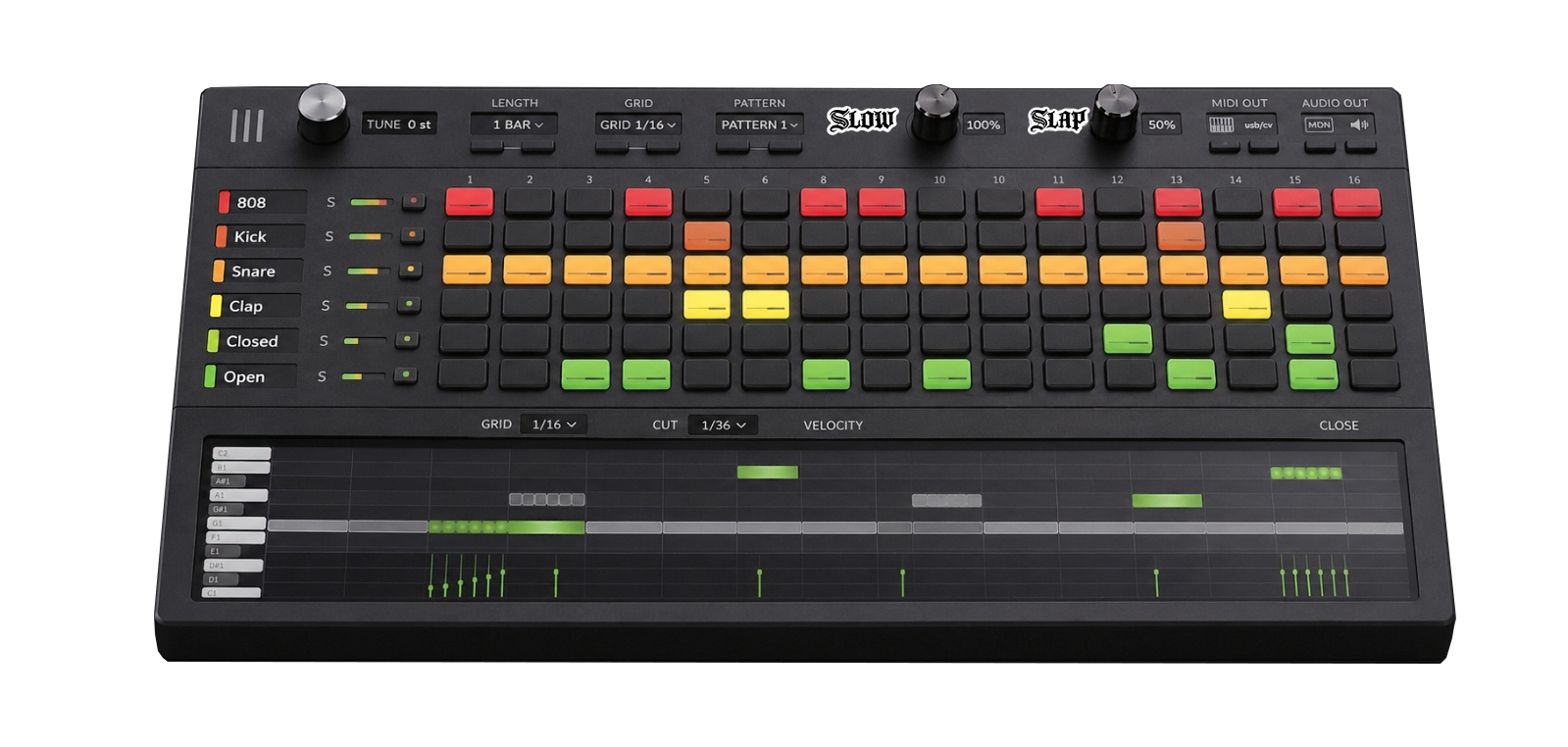
Sanity check before any purchase: open the product page and look for a picture of a grid. No grid, no sequencer. Crude, and right more often than the marketing copy. Here is what passing that test looks like, using our own plugin, so read it as an illustration of the shape rather than a recommendation:
Free first, named
Your DAW already has one. FL Studio's channel rack is the reference implementation, and if you live in FL you can stop reading. Logic Pro ships a deep Step Sequencer with per-step velocity, gate, note repeat and chance. Ableton's Drum Rack is pads plus MIDI clips rather than an always-on grid. Free, installed, native. The catch: the workflow does not travel, so switching DAWs means starting over. That story in full is why producers switch back.
Three free plugins worth naming, none of which is a sequencer:
- MT Power Drum Kit, a free acoustic kit sampler with mix-ready sounds and a big groove library. Astonishing for rock and pop at the price of nothing.
- Sitala, a tidy 16-pad drum sampler with drag-and-drop. The original was free and the current version is a paid upgrade, so check current pricing.
- Sampleson SUB, free analog drum sounds. Its own page states plainly that no sequencer is included. We mention it because other lists file it under sequencers.
What free rarely buys you is the workflow: a grid linked to a piano roll, one-keystroke hat rolls, sample sorting, one-button halftime or knock, stem export. You can approximate each by hand, and by hand is the fee. That trade is examined in free vs paid drum plugins.
Free sounds are the other half of the question. The TrapMan kits library gives away drum kits and full patterns made by TrapMan producers, with a browser preview of every loop. They open in TrapMan, so they suit the free trial too.
The comparison
Fifteen tools, split by the question that matters first. "Sequencer" means a pattern engine inside the plugin. We list price models rather than prices, because vendor pricing moves and sale prices lie: check current pricing on every link.
| Tool | Sequencer inside? | What it actually is | Price model |
|---|---|---|---|
| TrapMan | Yes | Step grid with a per-lane piano roll, your samples on up to 16 lanes | Free trial |
| Roland TR-808 (Roland Cloud) | Yes | Circuit-modelled 808 with its original step sequencer | Membership or lifetime key |
| XLN Audio XO | Yes | Maps your sample library by sonic similarity, sequencer attached | One-time |
| Audiomodern Playbeat 4 | Yes | Generative pattern engine that keeps mutating your groove | One-time |
| Sugar Bytes DrumComputer | Yes | Drum synth with a smart sequencer per lane | One-time |
| Algonaut Atlas 2 | Yes | AI sample organiser with a built-in sequencer | One-time |
| Xfer Records Nerve | Yes | Drum machine with a polyrhythmic sequencer | One-time |
| Splice Beatmaker | Yes | Streamlined drum sequencer wired into Splice Sounds | Splice subscription |
| NI Maschine | Yes | Hardware pads plus software: sampler, sequencer, arranger | Hardware + software |
| NI Battery 4 | No | Cell-based drum sampler, the reference sound host | One-time or in Komplete |
| MT Power Drum Kit | No | Free acoustic kit sampler with a groove library | Free |
| Sitala | No | 16-pad drum sampler, drag-and-drop | Free version, paid upgrade |
| Sampleson SUB | No | Free analog drum sounds, no sequencer by design | Free |
| XLN Addictive Drums 2 | No | Acoustic drum production with a MIDI groove library | One-time |
| Steven Slate Drums 5 | No | Lifelike acoustic kits with minimal setup | One-time |
Read the second column before the fourth. Nine of these will write a pattern for you; the other six are sound sources, and several are excellent at that job.
macOS or Windows, and which format?
The platform question is usually a format question, so here is the rule that saves you a refund request. AU is macOS only, the native Mac format used by Logic Pro and GarageBand. VST3 runs on both systems and nearly every DAW loads it. AAX is Pro Tools, on either platform.
So ask whether a plugin ships the format your DAW needs, not whether it "supports Windows". Most established drum plugins ship VST3 for both, but confirm it on the product page rather than trusting a listicle, including this one. Ours ships AU, VST3, AAX and a standalone app, on macOS (Universal, Apple Silicon and Intel) and Windows 10/11.
Which category fits you
The one in your DAW: free and native. Try it seriously first. It fails you when the native tool is slow for your genre, when you want your own sample library inside the workflow, or when you work across several DAWs and want one set of muscle memory.
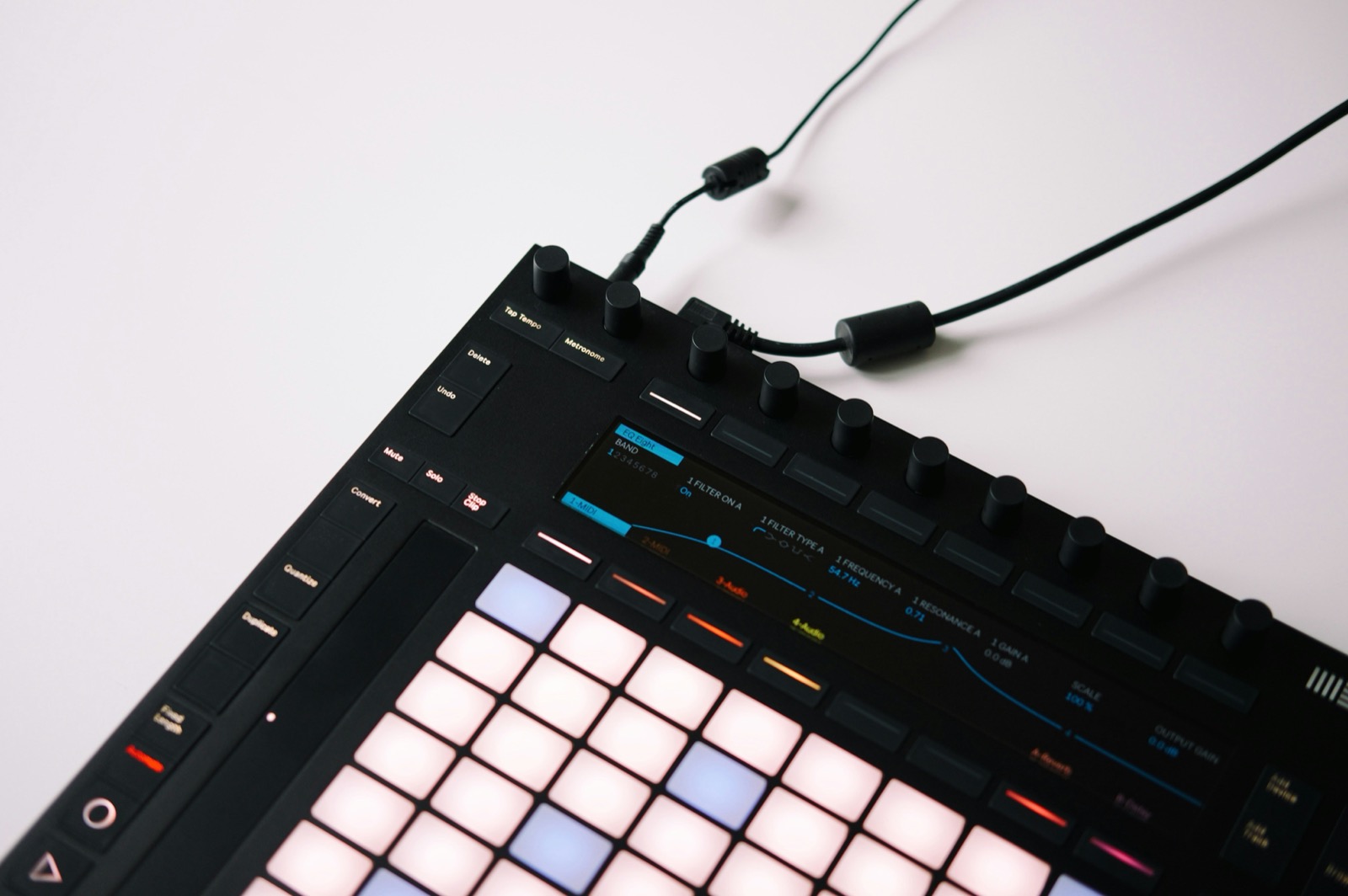
The groovebox: Maschine is an integrated hardware-plus-software system, and Maschine+ runs with no computer at all. Right for finger drummers and performers. The honest risk is that pads only pay off if you play them; if your beats start as grid clicks they become expensive desk furniture. Worked through in Maschine vs plugin step sequencers.
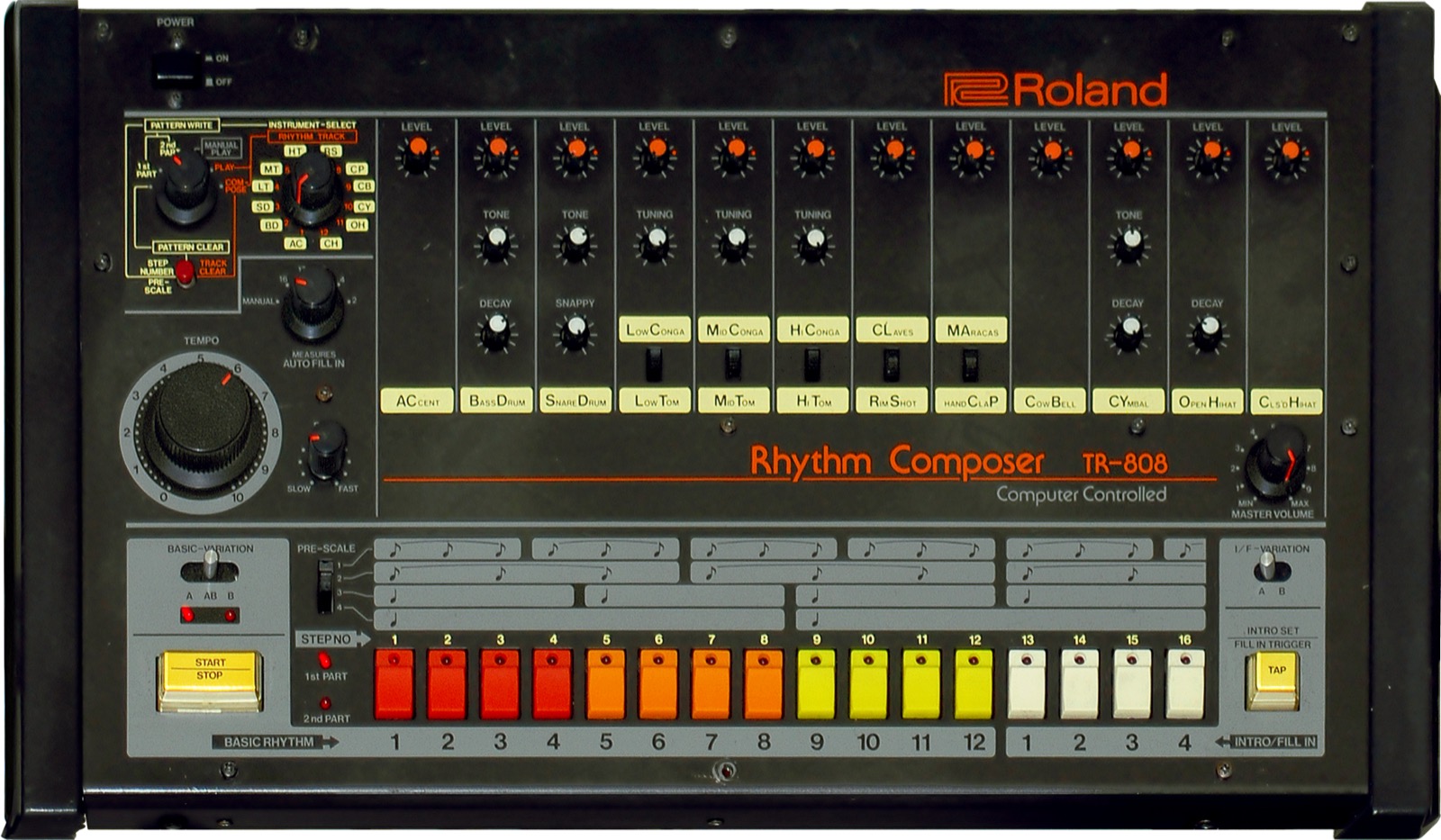
The classic recreations: sometimes you do not want a sequencer for your samples, you want the sounds. Roland's official TR-808 models the original circuits and keeps the step sequencer it always had. The sound is the product. It will not sequence your own library.
The sample-workflow tools: your library as the instrument. XO maps samples visually by similarity so browsing becomes exploring; Atlas 2 sorts a messy folder with AI. Both attach a sequencer. If XO's 8 lanes and two patterns already feel tight, see XO alternatives.
TrapMan sits in that last group with the sequencing workflow first: an FL-style step grid linked to a per-lane piano roll, up to 16 lanes, AI sorting that files your library into kicks, snares, hats and 808s on-device, hat rolls in one keystroke (Cmd+U), built-in Slow and Slap, and drag-out as MIDI keyswitch clips or printed stems. It is a one-time purchase with free lifetime updates, and the trial runs 7 days with every feature and no card.
Where it does not win, so you do not have to guess: it is a sample sequencer, not a synthesis engine, so circuit-modelled 808 knobs are Roland's job. It ships no pads, so if your hands need hardware that is Maschine. And it plays no acoustic kits, so for live-drummer realism look at Addictive Drums or Steven Slate.
FAQ
What is the best free drum sequencer plugin?
The one in your DAW. Logic's Step Sequencer and FL's channel rack are legitimately good, and free-with-purchase beats free-with-asterisks. Dedicated free drum plugins exist and some are excellent, but most are samplers rather than sequencers: MT Power Drum Kit, Sitala and Sampleson SUB all make sound without writing patterns, and SUB says so on its own page.
What is the difference between a drum sequencer and a drum sampler?
A sampler plays sounds and takes its rhythm from notes you draw in your DAW. A sequencer holds the pattern inside the plugin, on a grid you edit while the loop runs. Battery 4 is a sampler, TrapMan and DrumComputer are sequencers, and plenty of "best drum plugin" lists mix the two up.
Do I need a drum plugin if my DAW already has a step sequencer?
Not necessarily: try the native one first. A plugin earns its place when the native tool is slow for your genre (hat-roll-heavy trap exposes this fast), when you want your sample library inside the workflow, or when you work across multiple DAWs and want one set of muscle memory.
Does a drum sequencer plugin work on Windows?
That depends on format, not brand. VST3 runs on Windows and macOS, AU is macOS only, and AAX is for Pro Tools. Check the formats on the product page. TrapMan ships AU, VST3, AAX and standalone for macOS and Windows 10/11.
Are subscription plugins worth it?
They can be, if you use the tool monthly and the vendor keeps shipping value. The failure mode is renting a tool you use twice a year. For a drum workflow, owning tends to age better: a one-time purchase amortises to zero while a subscription never does.
Sources
Every link was checked before publication. Prices change, so confirm current pricing on each vendor page.
- Roland TR-808 Software Rhythm Composer
- XLN Audio XO
- XLN Audio Addictive Drums 2
- Audiomodern Playbeat 4
- Sugar Bytes DrumComputer
- Algonaut Atlas 2
- Xfer Records Nerve
- Splice Beatmaker
- Native Instruments Battery 4
- Native Instruments Maschine
- Steven Slate Drums 5
- MT Power Drum Kit
- Sitala
- Sampleson SUB
- Overview of Step Sequencer in Logic Pro for Mac, Apple Support
- Channel Rack and Step Sequencer, FL Studio Manual